
JPG Merge
Combine multiple JPG, PNG or WEBP images into one file — stacked or side by side. Export as high-quality Image or PDF instantly.
Drag & drop images here
or
Supports JPG, JPEG, PNG, WEBP · up to 15MB each
How to JPG Merge Files for Free (No Sign-Up Needed)
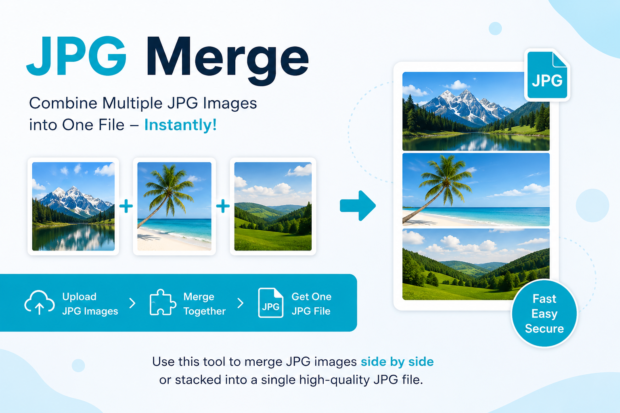
“To JPG merge” means combining two or more JPG images into a single file, either as one long image or as one PDF page. Most people do this to send photos as one attachment, build a quick photo collage, or turn scanned pages into a single document. Use the tool above to do it in under a minute.
What Does It Mean to Put JPG Files Into One?
Putting several JPG images into one file is simpler than it sounds. It just means stacking or joining separate pictures so they act like a single document instead of a scattered folder. I first ran into this back in 2022 when I had to send eleven screenshots to a client and Gmail kept splitting them across three emails. Bringing them all into one file fixed that in about thirty seconds.
What’s the difference between combining and stacking JPG files?
There isn’t really one. When people search for “combine JPG” or “JPG merge,” they’re both looking for the same result, a way to join images into one file, and any decent tool treats the two terms identically.
Some folks think this process blends the images together, like a photo filter mashup. That’s not it. The process just places your pictures next to each other, top to bottom or side by side, or bundles them into a multi-page PDF. Nothing about the actual photos changes.
Can you put JPG files together without losing quality?
Yes, as long as the tool doesn’t recompress your images along the way.
This is the part people overlook. A lot of free tools quietly shrink your file size and drop quality without telling you. If you care about keeping your photos sharp, especially for printing or professional use, look for a tool that says it preserves original resolution. I’ve tested a handful of these over the years, and the ones that use canvas-based rendering in the browser, instead of uploading to a random server and recompressing, tend to hold quality the best.
How to Jpg Merge Files Online for Free
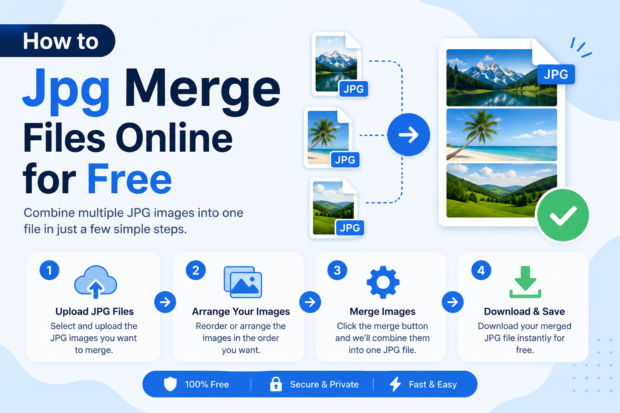
You can put your images together online by uploading them to a browser-based tool, arranging them in order, and downloading the finished file, all without installing anything.
What is the best free tool for doing this?
The best one is whichever tool lets you reorder images, choose your output format, and skip the account creation step.
There’s no single best tool that works for everyone, but if you’re looking to jpg merge online, the good ones share a few traits. They let you drag and drop your files. They show a live preview so you’re not guessing. And they don’t force you to create an account just to download your finished result. I’ve bounced between a few over the years, and the browser-based ones win every time because there’s no waiting for uploads to a server somewhere.
Here’s how the process usually goes.
- Open the tool and drop in your JPG files or click to select them from your device
- Drag the thumbnails into the order you want them to appear in the final file
- Pick whether you want one long image or a multi-page PDF as your output
- Hit the button and download the finished file straight to your phone or computer
Do I need to download software to join JPG files?
No, modern browser-based tools handle the entire process without any installation.
Back when I started freelancing around 2019, this used to mean opening Photoshop or some clunky desktop app just to stack a few pictures. That’s overkill for a simple task. Now it happens right in the browser tab, and that’s honestly the way it should have been all along.
Joining JPG Files on Phone vs Computer
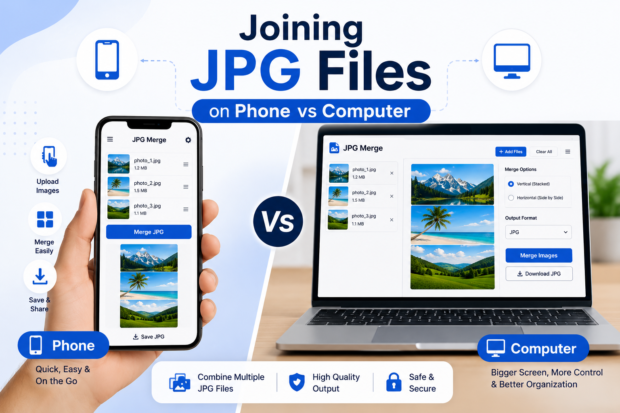
Can I put JPG files together on my iPhone or Android?
Yes, most online tools work fine on mobile browsers, so you don’t need a separate app.
I get asked this a lot, especially from people trying to combine photos on the fly at a job site or while traveling. The truth is you don’t need a dedicated app for this. Any mobile browser like Safari or Chrome can open a web-based tool and handle the job just as well as a desktop.
| Method | Best For | Time It Takes |
| Online tool (browser) | Quick one-off jobs, no installs | Under a minute |
| Desktop software | Batch work, professional editing | A few minutes plus setup |
| Phone gallery apps | Basic side-by-side collages only | A couple minutes |
If you’re doing this once or twice, the browser wins every time. If you’re combining hundreds of files a week for work, a desktop app with batch processing might save you time in the long run.
Common Problems When Your Files Won’t Combine
Why won’t my JPG files combine into one image? This usually happens because the files are corrupted, too large, or in an unsupported format like HEIC.
If your images came straight off an iPhone, they might actually be HEIC files renamed with a .jpg extension, and some tools choke on that. Running them through a JPG converter first usually clears it right up. Also worth checking, some tools cap file size or the number of images you can process at once, so if you’re working with a dozen high-resolution photos, you might need to compress them first.
How do I merge jpg online into one PDF instead of one image? Choose the PDF output option before you download, and the tool will stack your images as separate pages in one document.
This is what people usually mean when they’re trying to turn scanned homework or receipts into a single file. Instead of one giant stretched image, you get a proper multi-page PDF where each JPG becomes its own page. It’s the same process, just a different output format at the final step.
A couple of related tasks come up a lot too. If your files are huge, running them through a JPG size reducer before combining speeds things up and keeps the final file manageable for email. And if you’re working from a document instead of a photo, going from JPG to Word first can save you a step, since some tools let you extract text right after.
The Bottom Line
Bringing your JPG files together isn’t complicated, and it shouldn’t take more than a minute of your time. The main thing to watch for is quality loss and unnecessary sign-ups, both of which good tools to avoid entirely. I’ve relied on browser-based tools for years now, ever since ditching desktop software around 2020, and they’ve only gotten faster since.
If you’ve got images sitting on your device right now, scroll up and try the tool above. Drop your files in, arrange them, and download your finished file in about the time it took to read this.
FAQs
Is it safe to put JPG files together online?
Generally yes, as long as the tool processes your files in the browser instead of storing them on a server.
Look for tools that mention client-side processing. That basically means your photos never actually leave your device; they just get stitched together locally in the browser. I stick to those for anything personal, like family photos or work documents with sensitive info.
How many JPG files can I combine at once?
Most free tools handle anywhere from ten to fifty images, though this varies by tool.
If you’re trying to jpg merge well beyond that range, you’ll probably hit a limit or notice things slow down. Splitting the job into two smaller batches usually solves it.
Does combining JPG files reduce image quality?
No, not if the tool uses lossless processing, though some free services do recompress files to save server space.
This goes back to what I mentioned earlier. Always check a sample output before trusting a tool with something important, like a portfolio piece or scanned legal document.